Dictation · no word limit
Dictation for Mac.
In every app.
One key instead of the keyboard: hold it, speak and let go, and the text appears where your cursor is. Speech turns into text on your Mac, offline and with no word limit.
Got a minute to sum up the campaign?
- No word limitin the free plan, forever
- Works offlinespeech turns into text on your Mac
- No accountdownload, grant two permissions, speak
- Polish and Englishplus 23 other European languages
See it in 15 seconds
Hold Option, say what you want to write and let go. The text lands in your email, chat or document, right at the cursor.
Your keyboard is slowing you down.
Most people type about 40 words a minute and speak about 150. That is almost four times faster. Captylo turns the difference into hours you get back, without changing the apps you already work in.
- words dictated
- 504,627
- dictation sessions
- 9,454
- of typing saved
- 166 h
Real numbers from the dashboard of Captylo's maker, including its predecessor app.
Speak, and the text appears wherever you type.
No window to open, no button to hunt for. Dictation lives under one key and works in every app.
1Hold the key
Right Option by default, or any shortcut you like. Hold it like a walkie-talkie, or tap once to keep dictating until the next tap.
2Speak the way you think
No need to say "comma" or "period". A small widget shows your voice and the text live, so you see right away what Captylo heard.
3Let go. It's typed.
The text lands at your cursor: in Mail, Slack, Notion, your browser or your code editor. From key-up to paste takes under half a second.
Everywhere you type.
Captylo has no editor of its own. It works inside the apps you already use, so there is nothing new to learn.

Tomasz NowakMaterials for the quote - Attached are the specs and last year's scope
Anna KowalczykNew timeline - We moved the design review to next week
FakturyInvoice 09/2026 - The invoice is ready to download
Marta ZielińskaFriday call - Does 3 pm still work for you?
KalendarzReminder: sprint planning, Monday 10:00
Quarterly report Q3 2026
1. Customers
EXPLORER
⌄ CAPTYLO
- › Captylo
- › CaptyloTests
- › docs
- › site
- M↓AGENTS.md
- ≡Makefile
- !project.yml
- M↓README.md
# Captylo
Minimalist dictation for Mac: hold a key, speak, and the text lands at your cursor.
## Requirements
- macOS 14.4 or newer
- A Mac with Apple silicon
✻ Welcome to Claude Code!
/help for help, /status for your current setup
cwd: /Users/dawid/code/captylo
> run make test
⏺ Bash(make test)
⎿ ✔ 128 tests passed in 4.2 s
⏺ All green. What next?
? for shortcuts
Dawid <dawid@firma.pl>
Product team
Friday release
# projekt-acme
Anna Kowalczyk
Hi Dawid, we moved the design review to next week. Does the new timeline work for your team?
Gmail in the browser, a reply to a clientEmail modespoken in 0:14
AI modes in Pro
Say it messy. Paste it clean.
An AI mode polishes the dictation before it hits the screen: it drops the 'umm's and repeats, adds punctuation and, if you want, turns it into an email, a to-do list or English text.
- Speak Polish, paste English. Handy for international teams and clients.
- Your own modes: describe in plain words what the AI should do with the text.
- Never a wait: if the AI is not done in 3 seconds, you get the raw text.
umm so I wanted to ask if if you could move the meeting to to thursday because on wednesday I have I have an appointment
AI modes in action
You talk as it comes, ums, mhms and corrections included. Captylo AI turns it into ready text before it pastes. AI modes are part of Pro.
New in Captylo
It learns how you write.
Fix a word once and Captylo remembers it for good. With every correction it knows the names you say and the way you write a little better.
- You fix the text as usual, in any app. Captylo notices the correction and adds it to your dictionary.
- Spell a tricky name out loud, like 'Brzęk, spelled B R Z Ę K', and from then on it is written right.
- With AI modes it also picks up your style: greetings, punctuation and tone, separately for email and chat.
- Undo anything it learned with one click, or switch learning off in Settings. The memory stays on your Mac.
The small things that add up.
Everything dictation needs, nothing it doesn't. All of it is in the Free plan.
Live preview
A small glass widget shows your voice and the text as you speak. It never steals focus and disappears when you are done.
Compact or expanded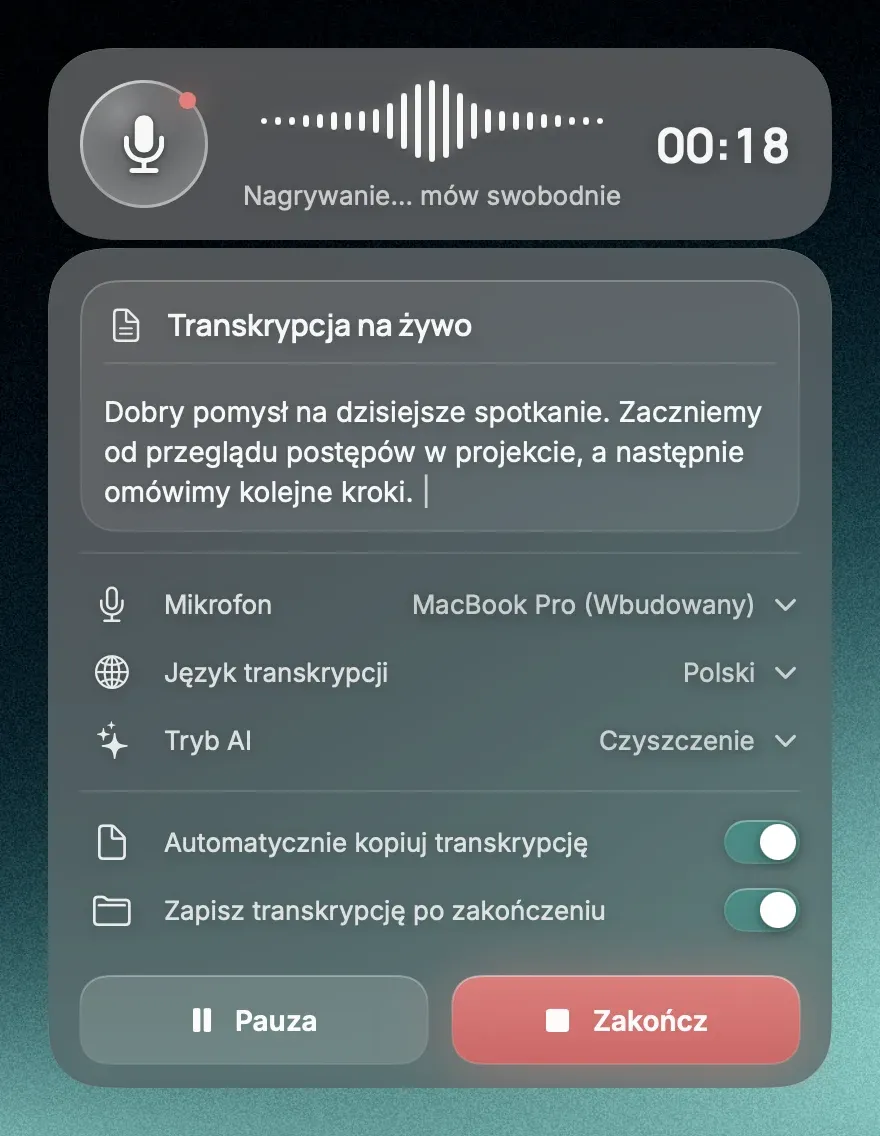
History with recordings
Every dictation comes back with its recording. Find it, replay it, copy it or run it through a different AI mode.
Search and CSV export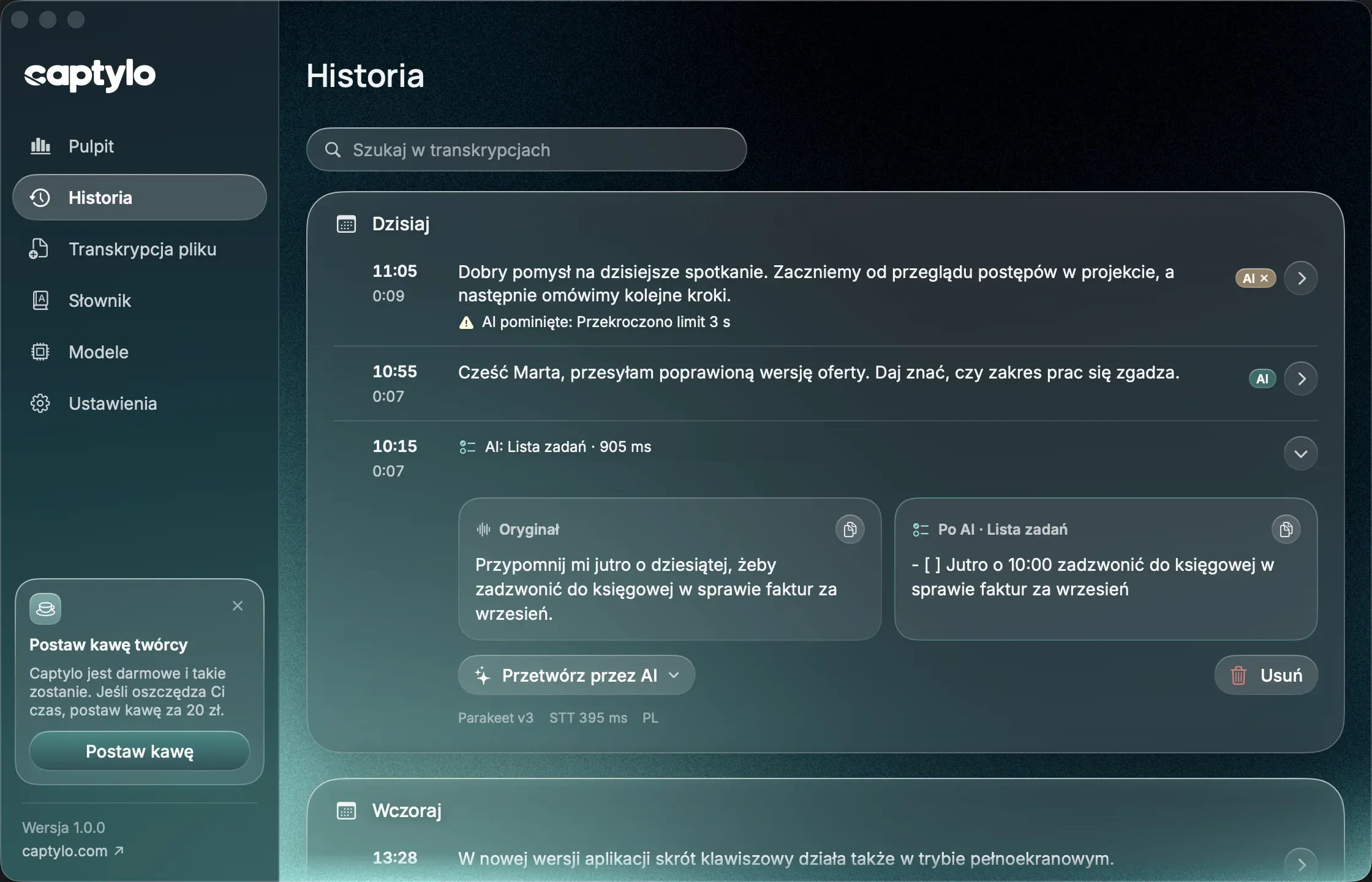
Your dictionary
Teach Captylo names, brands and jargon. Replacement rules make sure 'kaptylo' always comes out as 'Captylo'.
Import and export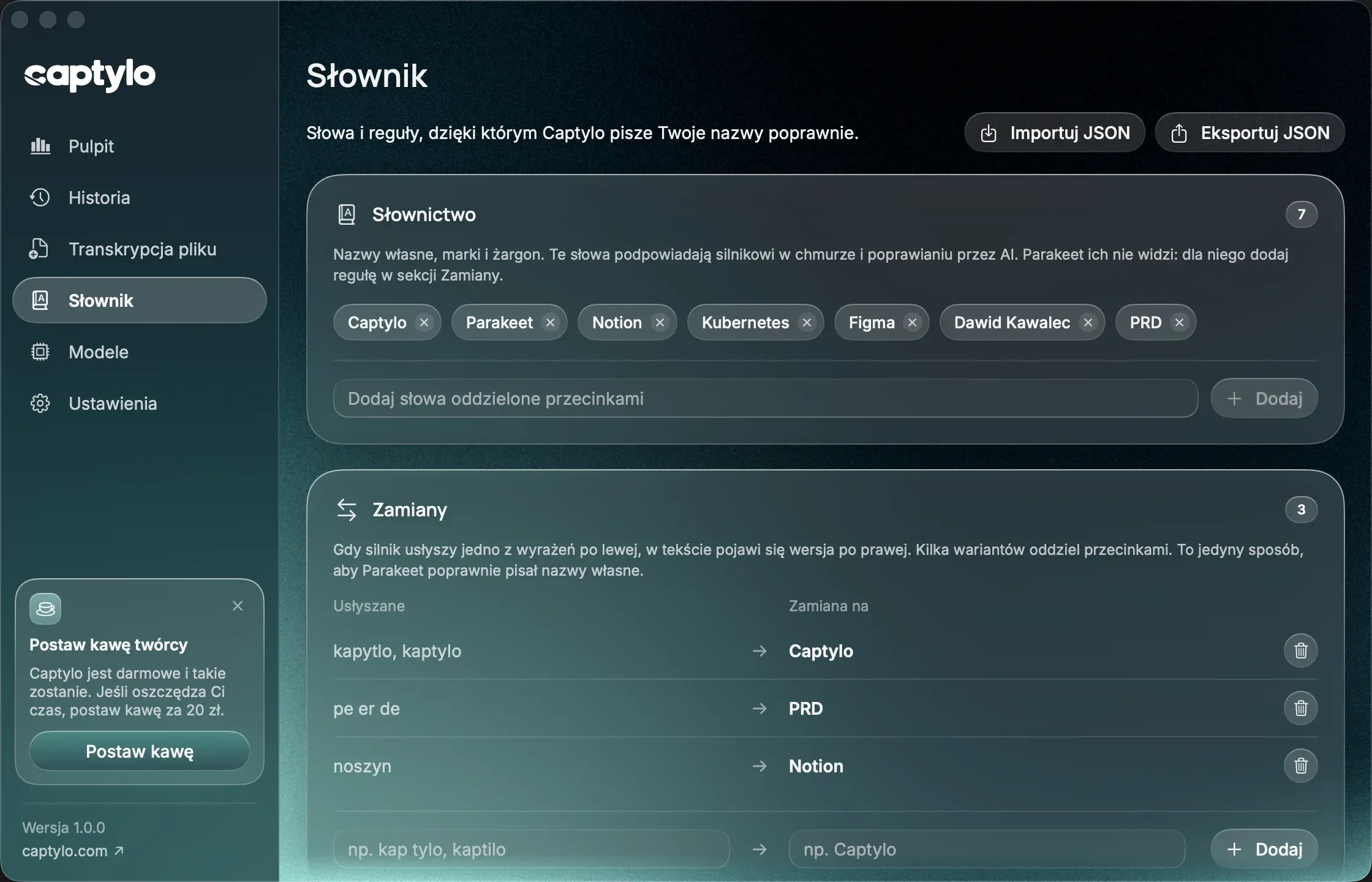
Dashboard
Words, sessions, speaking speed and the typing time you got back. Black on white, day by day.
Your numbers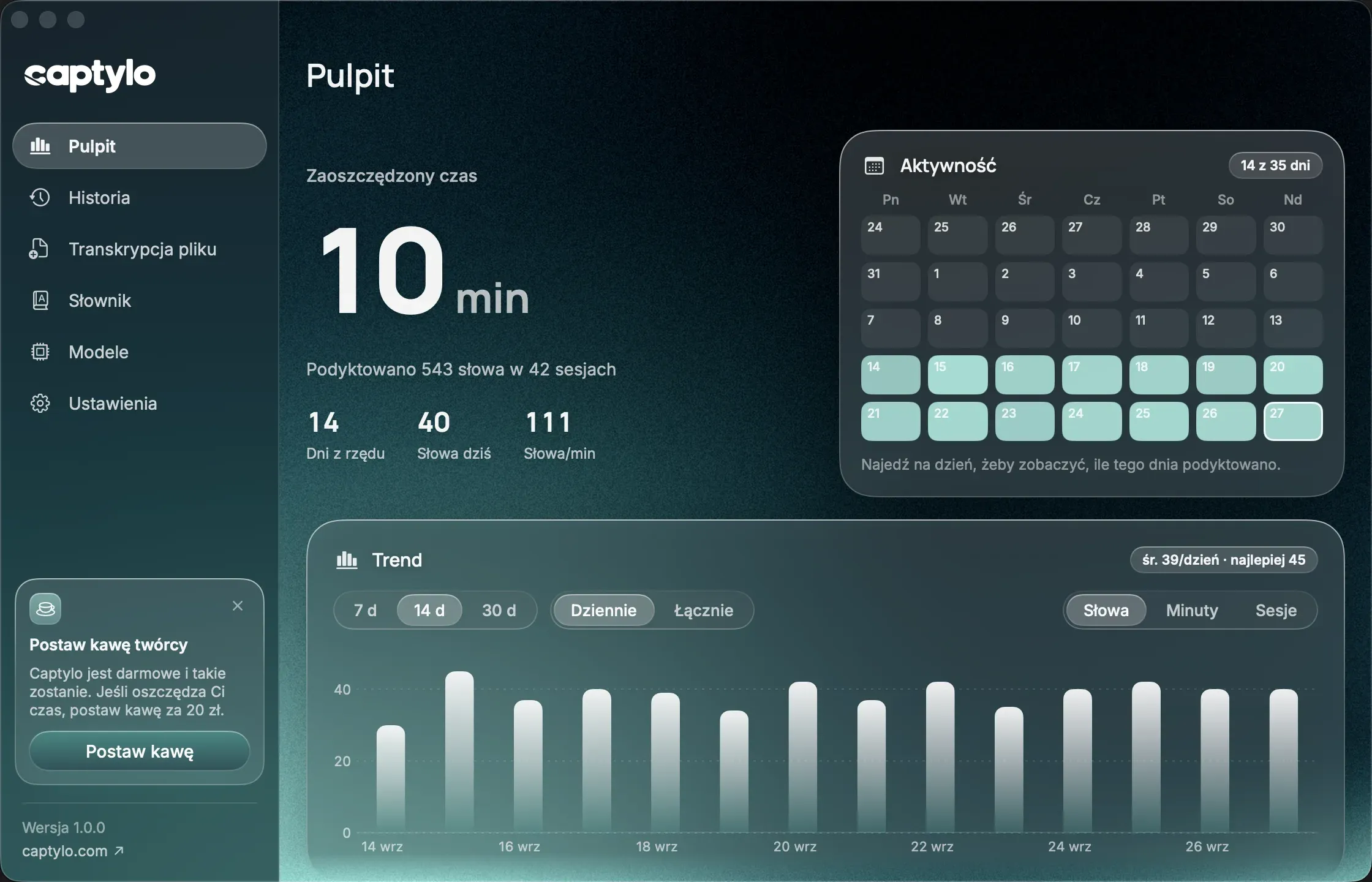
Audio and video files
Drop in a meeting recording, a voice memo or a WhatsApp or Telegram voice note (mp3, m4a, wav, ogg, opus, mp4, mov) and get the text, with your dictionary applied.
Queue of files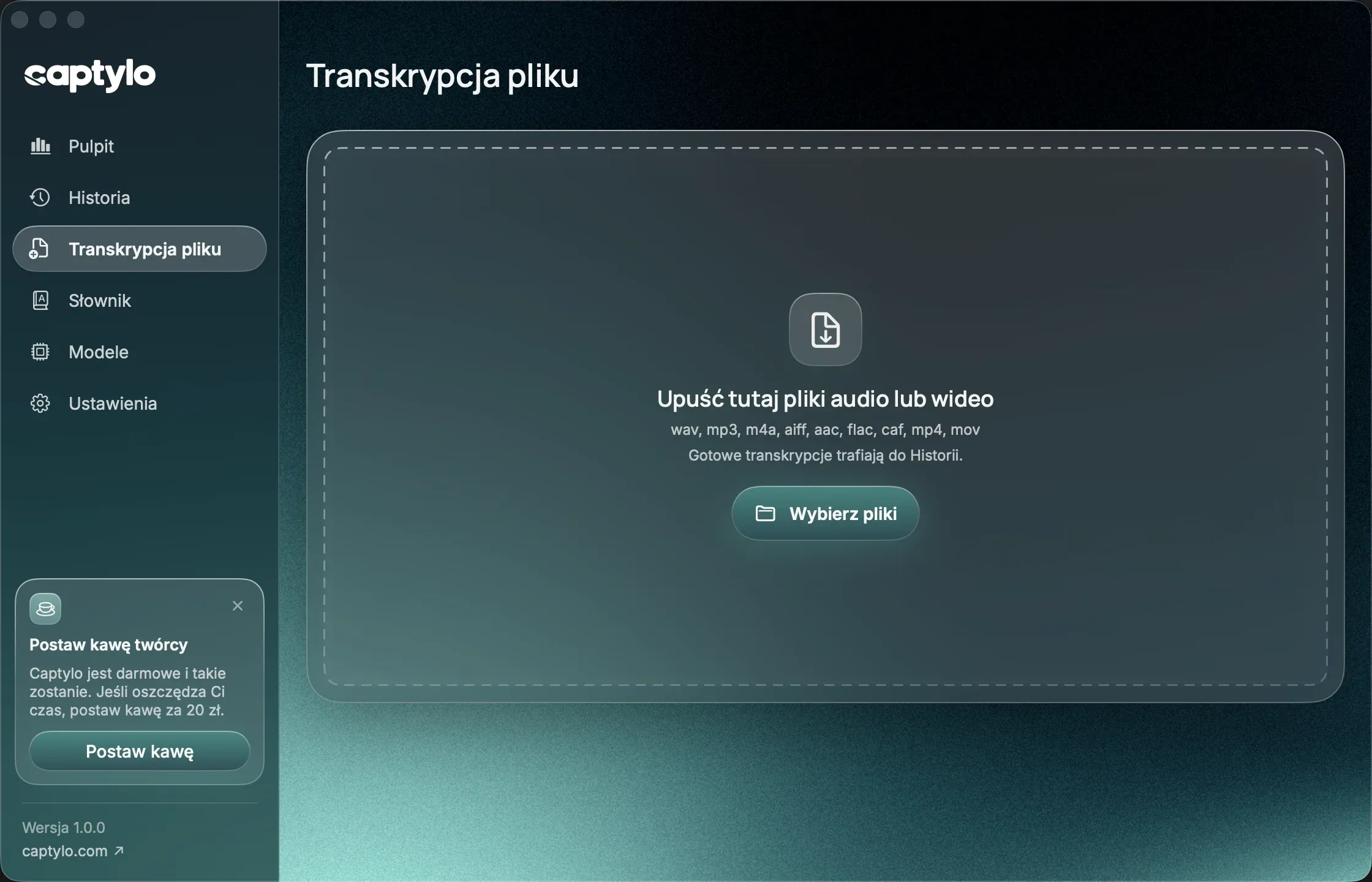
Your voice stays on your Mac.
In the Free plan nothing leaves your computer. No account, no telemetry, no server listening in. The cloud is something you switch on yourself, if you want it.
- Speech to text runs on your Mac. You need the internet once, to download the speech model.
- Recordings and history live on your disk. Delete any of them with one click.
- Cloud transcription and AI modes send data only after you turn them on.
- If the cloud fails, Captylo switches to the on-device model. You never lose a dictation.
- In Pro the cloud and AI go through our server, which keeps no recordings and no text.
Where transcription happens
Questions about dictation
The short answers to what people ask before they install.
How is it different from the dictation built into macOS?
macOS dictation types what it hears, word by word. Captylo lives under one key in every app, learns your names and jargon, keeps a history with recordings and shows your stats. In Pro it also polishes the text with AI and turns it into an email, a to-do list or English.
Does it understand Polish well?
Yes. Polish is our first language: the interface, the dictionary and the AI modes all work in Polish. The on-device model also understands English and 23 other European languages.
Does it work in every app?
Yes, anywhere you can type: Word, Gmail, Thunderbird, Slack, Notion, your browser, Visual Studio Code, the terminal and Claude Code. The text is pasted at the cursor and your clipboard is restored right after. The app asks for the Microphone and Accessibility permissions on first launch.
Will Captylo learn from my corrections?
Yes. When you fix a word in text Captylo pasted, or spell a name out loud, it remembers the right version and uses it next time. Everything it learns stays on your Mac, you can undo any of it, and the whole feature has a switch in Settings.
Can Captylo transcribe a WhatsApp or Telegram voice note?
Yes. Drag the file onto the File transcription window or pick it with Choose files. Captylo reads .ogg and .opus voice notes from messengers, even ones saved without a file extension, plus mp3, m4a, wav, flac, mp4 and mov. The text is made on your Mac, or in the cloud if you switch it on, with your dictionary applied, and lands in your History.